
If your social media plan lives in a mix of spreadsheets, shared folders and sticky notes, you’re not alone. In this Pallyy review, we look at whether one calendar-first tool can bring it all together.
Our verdict: Pallyy is one of the best-value scheduling tools on the market. Its drag-and-drop calendar, seat-free client approvals and per-brand pricing make it a strong choice for small agencies, freelancers and small businesses. Its analytics only cover Instagram, Facebook and LinkedIn, but for planning and scheduling your posts week to week, it’s excellent value for money.
What is Pallyy?
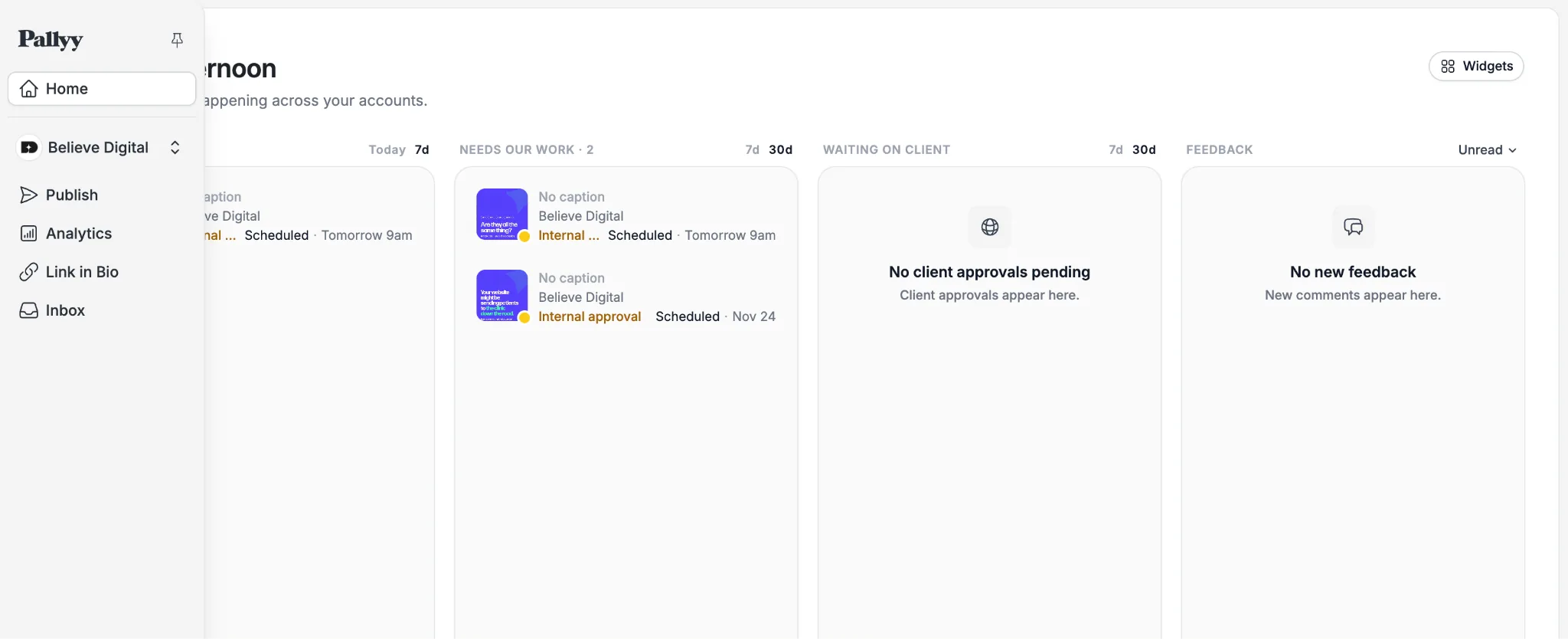
Pallyy is a social media management platform from an Australian company that has been running since 2019. It brings planning, scheduling, publishing, messaging and reporting into one workspace.
It connects to ten networks: Instagram, Facebook, X, LinkedIn, TikTok, YouTube, Pinterest, Threads, Bluesky and Google Business Profile. Each brand or client sits in its own “social set” of up to 11 accounts. Pallyy’s subscription levels charge you by the number of brands you manage, so all the features are available for all users.
Key features
- A calendar at the centre. Pallyy’s calendar has month, week and list views, and you reschedule a post simply by dragging it to another day. An Instagram grid preview shows how your feed will look before anything goes live.
- Flexible publishing. Paid plans publish images, videos, carousels, Reels and Stories, with extras such as Instagram first comments, collaborator tags and LinkedIn mentions. Queue scheduling drops posts into recurring time slots, and you can clone a post to reuse it later.
- One inbox. Instagram DMs and comments, Facebook messages, comments and reviews, LinkedIn and TikTok comments, and Google reviews all land in a single inbox, where you can label conversations and assign them to teammates.
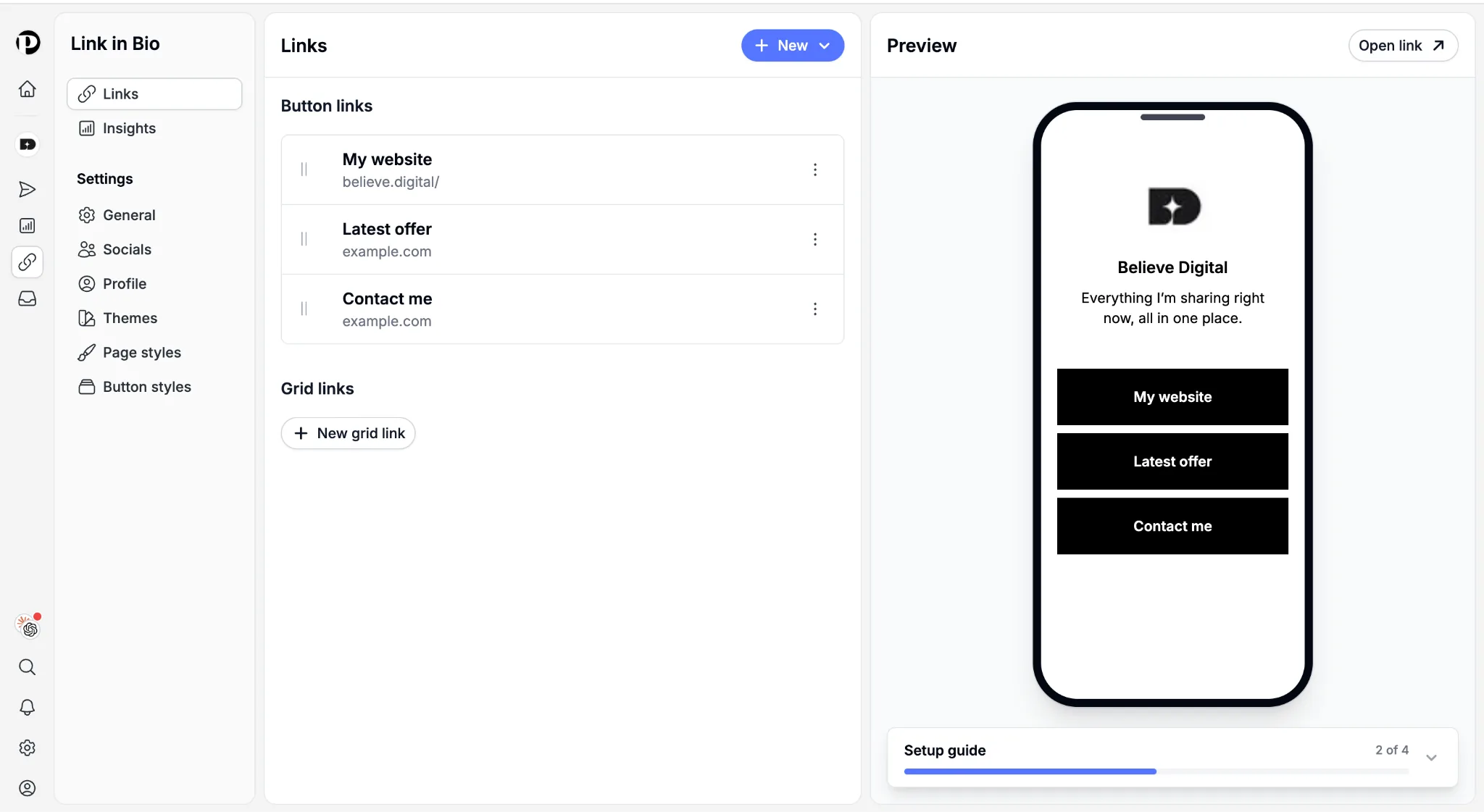
- Link in bio. Pallyy’s link in bio feature turns your single profile link into a branded page that sends visitors to your products, posts, offers, and bookings, with up to 100 link buttons, plus image grid buttons beneath them, a custom slug such as pallyy.bio/yourbrand, and styling options for button colours, shapes and shadows.
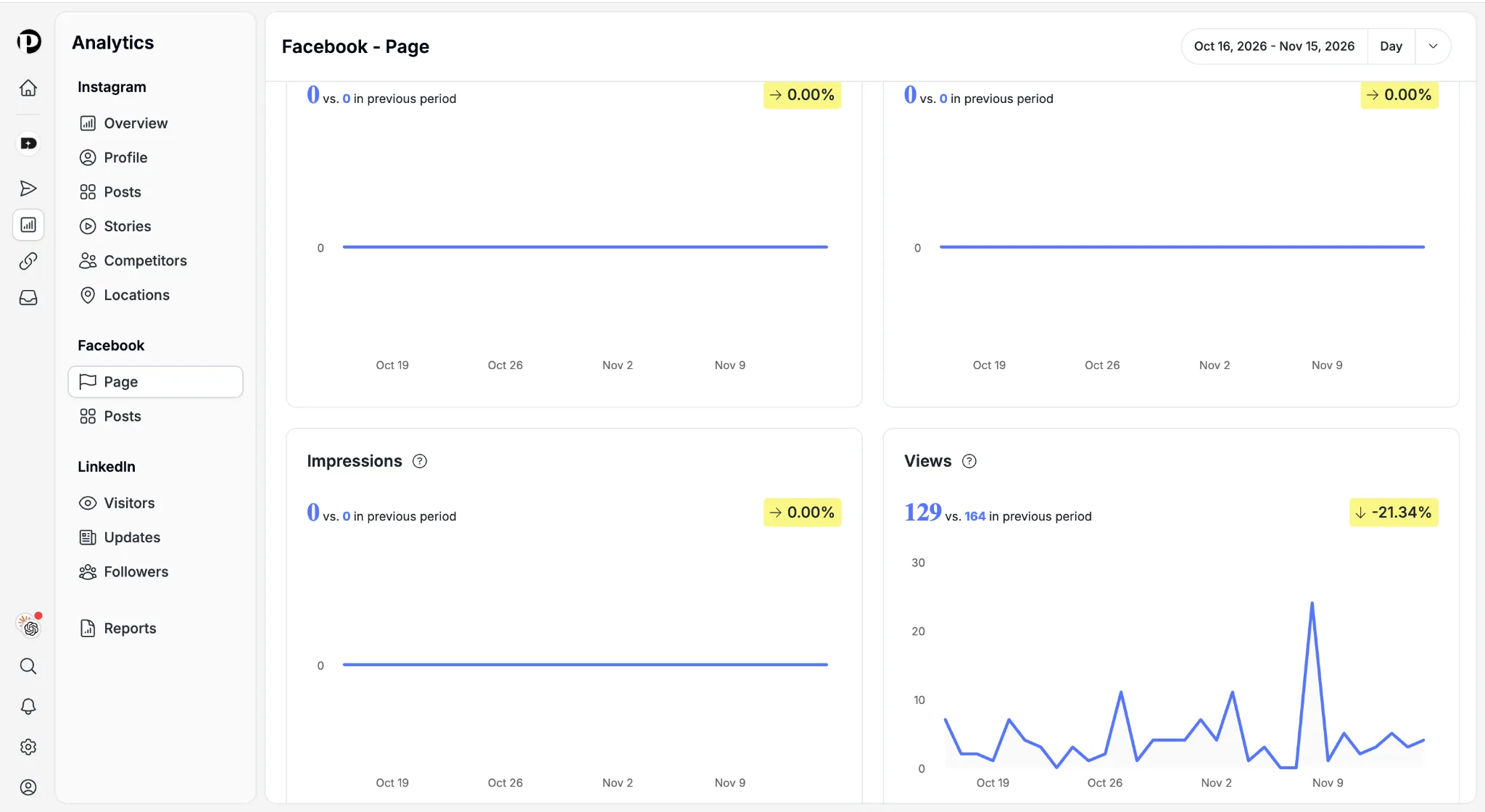
- Analytics, AI captions and post ideas. Analytics cover Instagram, Facebook and LinkedIn, with five years of history on paid plans and tracking for up to ten Instagram competitors. AI captions help you draft copy, and post ideas let you park concepts until you’re ready to schedule them.
How useful is Pallyy for social planning?
This is where Pallyy really earns its place. Rather than scheduling posts one at a time, you can map out a whole month in a single view. You can import holidays and Google Calendar events, then add coloured notes or recurring reminders for launches and shoot days. On larger screens, a media library panel sits beside the calendar, so you can drag an image onto a day to start a post. Saved post ideas can be turned into real posts straight from the calendar.
Each social set can have its own time zone and default posting time, which helps when clients are in different regions. For Instagram, a best-time-to-post heatmap shows when your audience engages most. For agencies, a shared calendar lets clients see the whole plan, not just individual posts.
Approvals, reports and client work
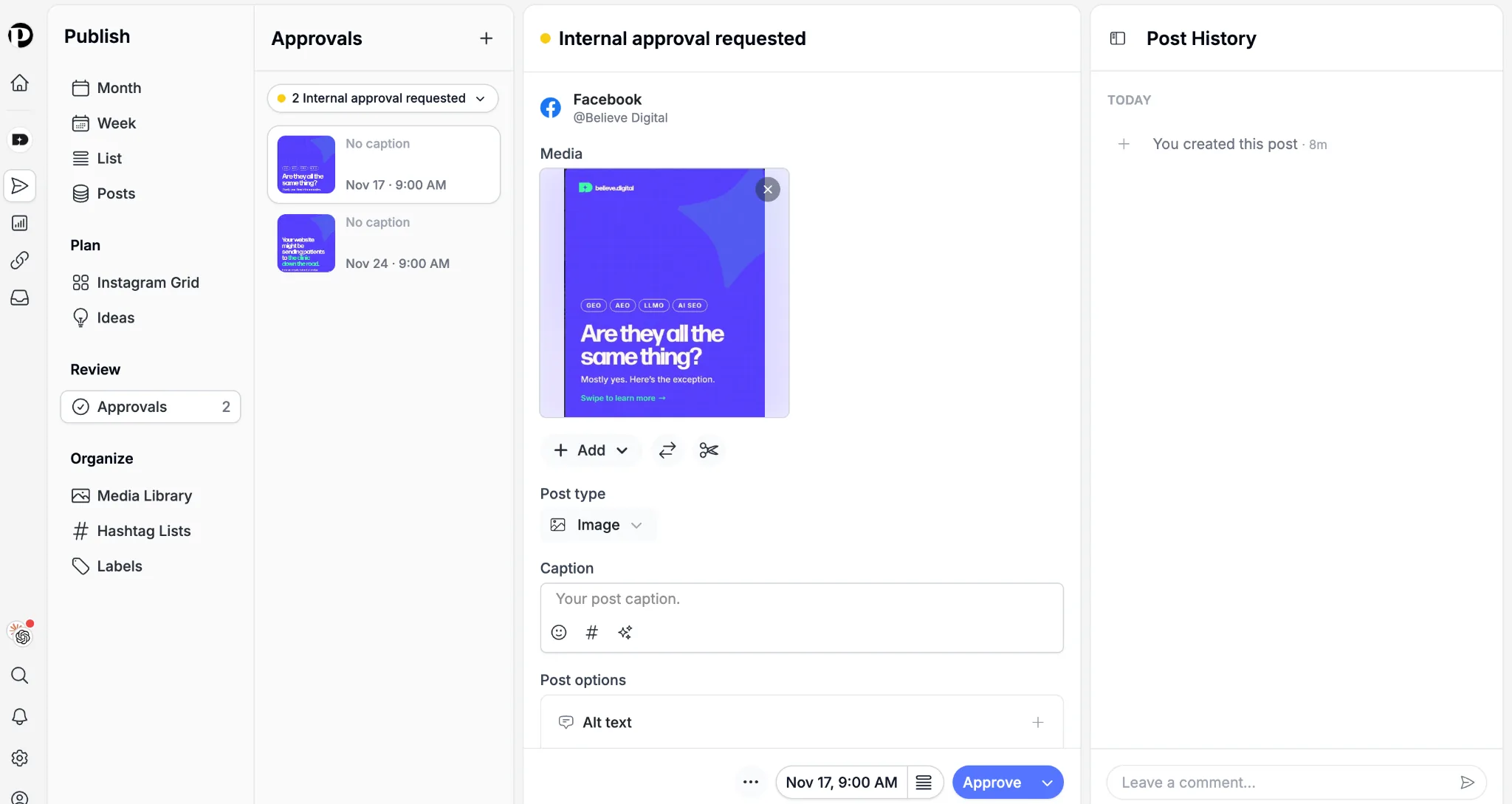
Pallyy is especially great for agencies because it takes the hassle out of getting content signed off. You can send a post to your own team for a first check, then on to the client, or straight to the client if you prefer. Clients don’t need an account: they simply open a shared calendar link in their browser, where they can approve a post, approve it with a comment or ask for changes. Once a post is approved, it’s scheduled automatically, so there’s no extra step for you.
No more feedback scattered across emails. Comments are threaded, every change is recorded in the post’s history, and you can mark a comment as “internal only” so your team can talk freely without the client seeing it.
It also keeps client work neatly separated. Team access is set brand by brand, so a freelancer only sees the clients they’re working on. And on the Agency and Scale plans, you can build a custom report for each client with just the metrics they care about, then export it as a PDF they can open without logging in.
Pallyy pricing: is there a free plan?
Yes, Pallyy Free costs nothing, forever, and needs no card. It covers one social set, 15 scheduled posts a month and image posts only, with 30 days of analytics. Video, carousels, approvals, the inbox and AI captions all need a paid plan.
Paid plans are priced in US dollars:
| Plan | Monthly | Billed yearly | Social sets | Users |
|---|---|---|---|---|
| Pro | $25/mo | $20/mo ($240/yr) | 1 | 1 |
| Agency | $99/mo | $79/mo ($950/yr) | 10 | 3 |
| Scale | $199/mo | $165/mo ($1,980/yr) | 30 | 10 |
Extra social sets cost $10 a month on Pro and Agency, and Agency can add extra users at $10 a month each. Eligible charities and nonprofits get 50% off. Every paid plan has a 14-day free trial; you enter card details to start, but nothing is charged during the trial. See Pallyy’s pricing page for the latest details.
Pros and cons
Pros
- Excellent value for money compared with many premium tools.
- A clean, intuitive calendar that makes planning quick and easy.
- Supports ten major networks, including TikTok, Threads and Bluesky.
- Fast, helpful support from a team that listens to feedback.
- Useful time-savers, such as cloning posts and managing comments from one inbox.
Cons
- Analytics and custom reports only cover Instagram, Facebook and LinkedIn.
- Captions copy to every platform by default, so each one needs checking before scheduling.
- You can’t set different preferred posting times for each platform, only for each brand.
Who should use Pallyy?
Pallyy is a great fit for small businesses and agencies that want reliable scheduling, simple client sign-off and predictable costs. It’s particularly strong for Instagram-led brands, and the 50% nonprofit discount makes it an easy pick for charities.
It’s less suited to teams that need social listening or detailed analytics for TikTok, YouTube or Pinterest.
Final verdict
Pallyy does the essentials brilliantly and keeps them simple. The free plan and 14-day trial make it easy to test with a real client first, so try Pallyy for free and see how it fits your workflow.
Ready to grow your business?
We handle digital marketing, web development and data analytics for UK businesses.